A real app, not a spreadsheet
Routines, budget and debts in one file that works offline. It keeps your data on your device, and it never asks you to log in.
What it does
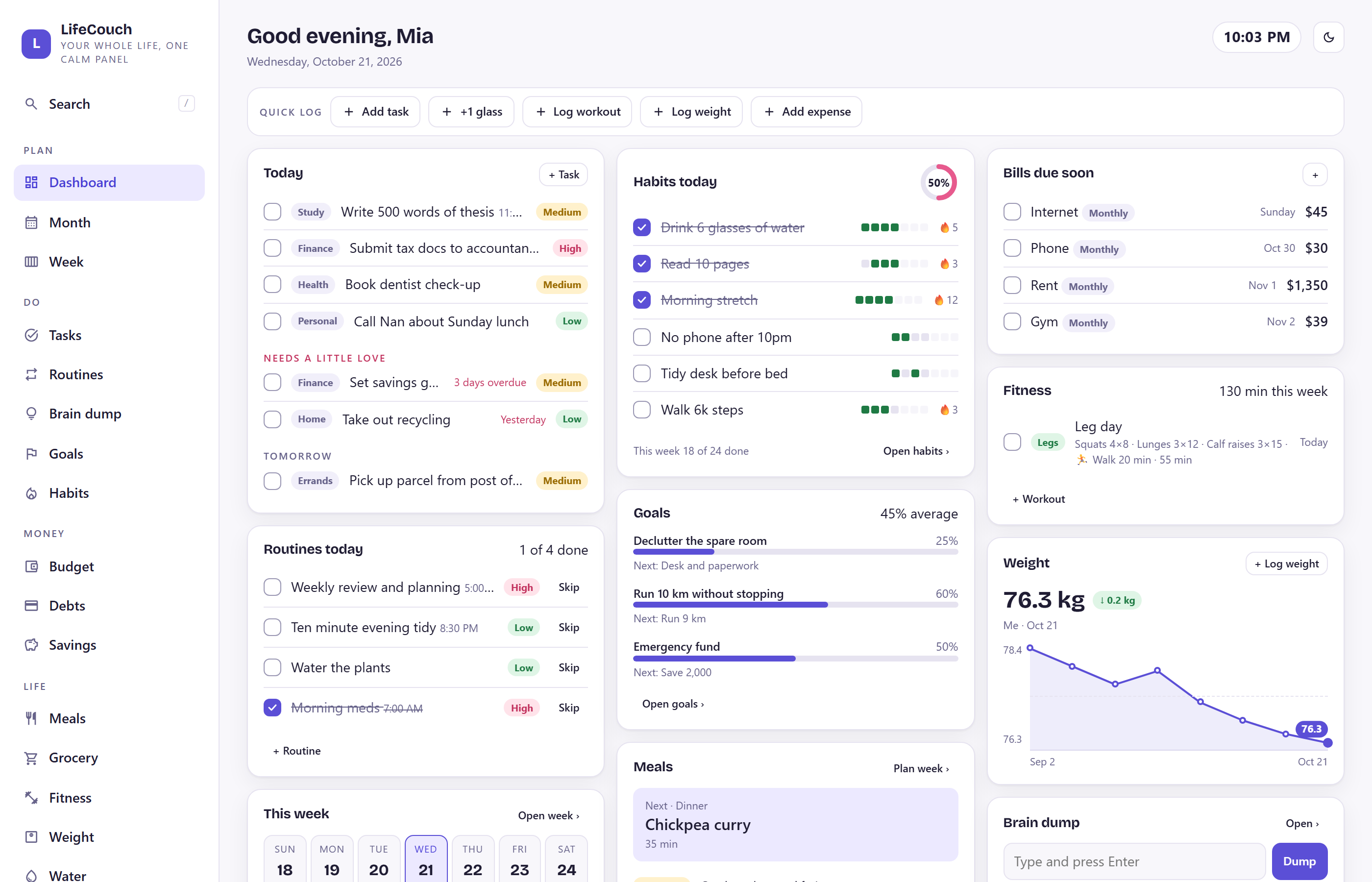
13 parts that talk to each other. Set something once and it shows up on the right days; anything with a date lands on the calendar by itself.
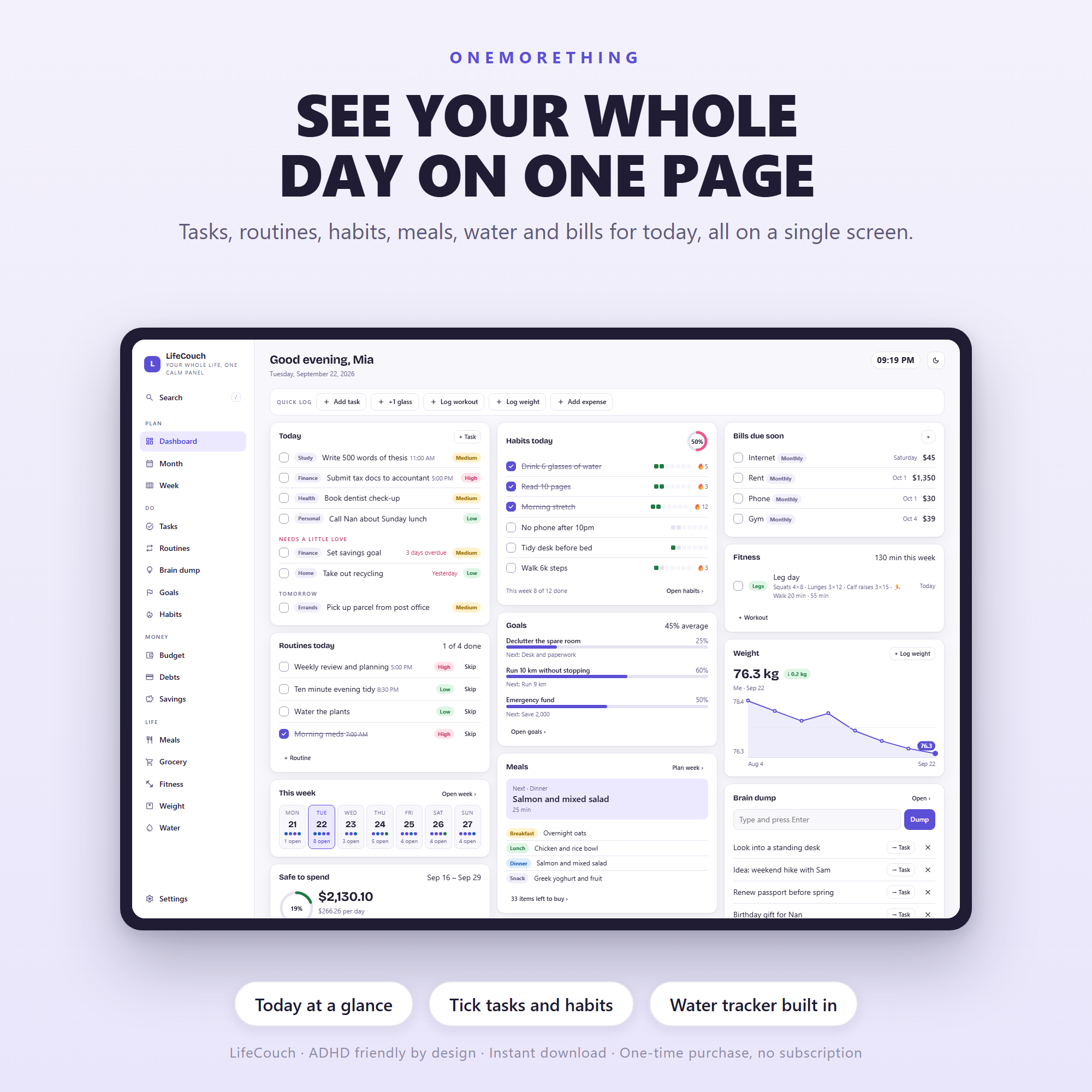
Dashboard
today's tasks, routines, habits, meals, water and bills due, on one screen
Tasks
projects, subtasks, due dates, priorities, and an inbox for what you have not sorted yet
Routines
daily, weekly, monthly or every N days; skip one without breaking the rest
Calendar
month and week views that fill themselves from your tasks, routines and bills
Goals
milestones, progress bars and a reward you choose
Habits
a monthly tick grid, weekly chart and streaks that are a bonus, never a punishment
Budget
one safe-to-spend number, weekly, per paycheck or monthly, with category limits
Debts
snowball, avalanche or your own order, with a debt-free date and the interest saved
Savings
pots with targets and a monthly contribution plan
25 looks, each one its own file
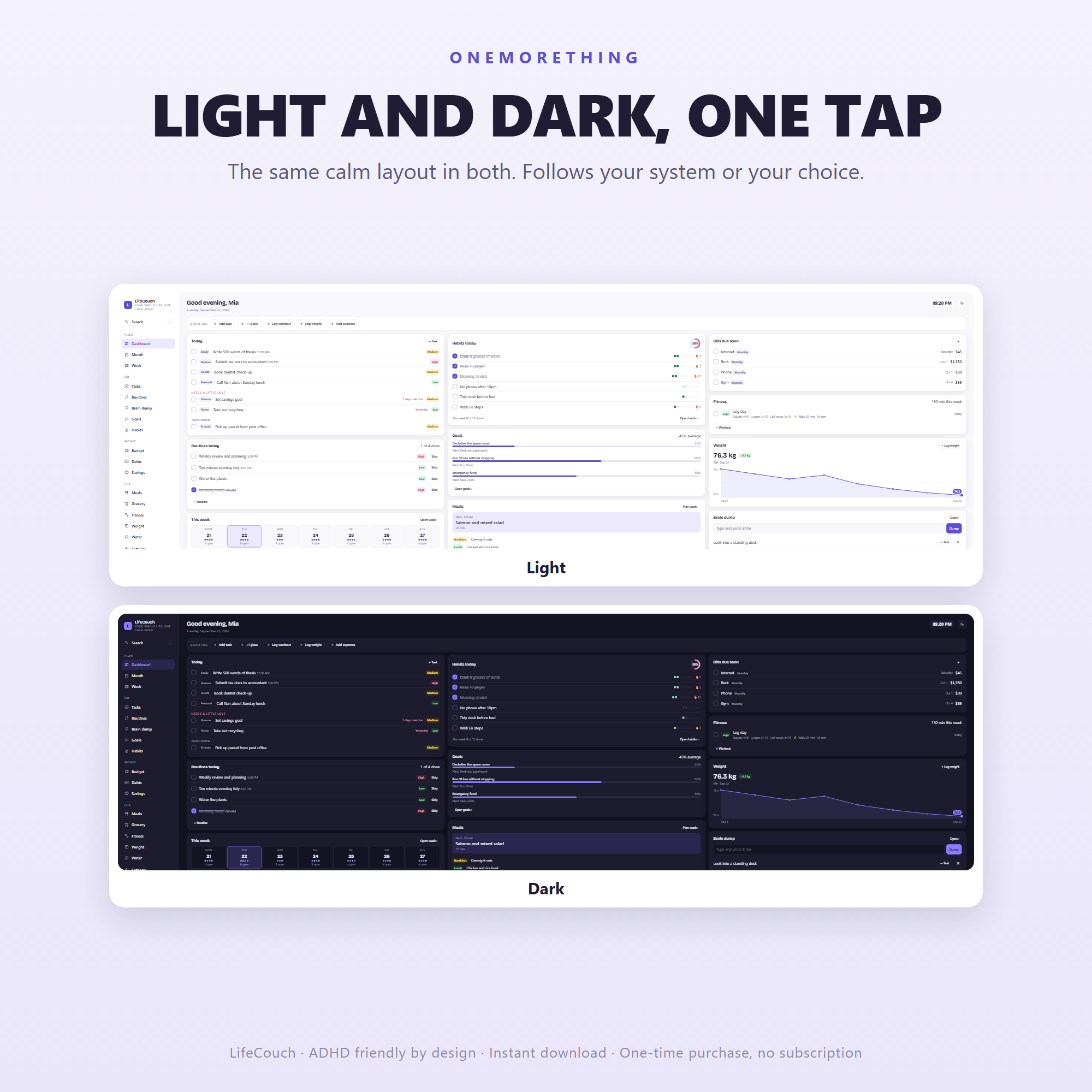
Blush, Pixel, Mystic, Notebook, Bento, Brutal, Paper, Doodle, Wired, Rough, Drawably, Notation, Quartz, Vapor, Morph, Pico, Material, Luxury, Latex, Tufte, Halo, Stars, Seasons, Halloween — the same planner, dressed differently. You pick yours when you buy; light and dark mode switch any time inside it.
10 languages, your currency, your week
Dates, numbers and money follow your language. Right-to-left included.
What you get
One purchase. Yours forever. No account, no subscription, nothing leaves your device.
Offline app file
One .html file. Double-click it on Mac or Windows. Works with no internet. Free updates from the same link.
Phone & tablet link
Open the same app at onemorethingapp.com/lifecouch and add it to your home screen on iPhone, iPad and Android.
Getting-started PDF
Your download links and a three-step setup. Sample data included so you can look around before you start.
The same app on the web
Open onemorethingapp.com/lifecouch, sign in with your order number once, and your planner follows you from your laptop to your phone. Optional — the file works on its own.
Your data is saved inside your browser, on your device only. We never see it. Export a backup any time — on Chrome and Edge, turn on an automatic backup file.
Questions
The short version of everything people ask before buying.
Is it really a file? How do I open it?
Yes. After purchase you get a PDF with a download link. Click it, a single lifecouch.html file downloads, and you double-click it. It opens in Chrome, Edge, Safari or Firefox. That is the whole install.
Does it work on my phone?
Yes. Open onemorethingapp.com/lifecouch in Safari or Chrome and add it to your home screen. Your data stays on the phone; the app simply loads from our address instead of your downloads folder.
Does it sync between my laptop and my phone?
The file you download does not: nothing leaves your device. The web version does, if you want it to — open onemorethingapp.com/lifecouch, create an account with your order number, and the same planner shows up on every device you sign in on. You can also move your data by hand: export a backup in Settings and import it on the other device.
What happens to my data if I clear my browser?
It goes with it, like any website data. Export a backup now and then (Settings → Export), or turn on the automatic backup file on Chrome and Edge, which writes every change to a file you choose.
Is there a subscription?
No. One purchase, yours forever. Updates are free: download the latest file from the same link in your PDF.
Can I try it first?
Yes — the live demo runs the real app with sample data and saves nothing.